Difference between revisions for Playground / Table Markup Guide
As of
6.2,Table <!markup:1:begin>basics: cells, rows, columns
<!Cells
The most basic element of a table is a cell. Single cells can be created using the standard delimiter
||, e.g.:#| ||Hello|| |#
| Hello |
Note that a cell must always be open and closed by delimiters.
====Rows====
Rows can be created by adding on the same line multiple cells:
#|
|| Cell 1 | Cell 2 | Cell 3 ||
|#
| Cell 1 | Cell 2 | Cell 3 |
====Columns====
Columns can be created by adding rows on separate lines:
#|
|| Cell 1 ||
|| Cell 2 ||
|| Cell 3 ||
|#
| Cell 1 |
| Cell 2 |
| Cell 3 |
By now you should be able to create simple tables with multiple rows and columns.
#|
|| Cell 1 | Cell 2 | Cell 3 ||
|| Cell 4 | Cell 5 | Cell 6 ||
|| Cell 7 | Cell 8 | Cell 9 ||
|#
| Cell 1 | Cell 2 | Cell 3 |
| Cell 4 | Cell 5 | Cell 6 |
| Cell 7 | Cell 8 | Cell 9 |
Headings
As soon as you create slightly more complex data tables, you will need to specify column and row headings. Headings are special cells that specify what kind of data rows and columns contain. The most basic way of creating a heading is by using^|*| or ^| as a delimiter.
The following is an example of a simple table with column headings, they must be terminated at the end of the row with the
|* :
#|
*| Apples | Pears |*
|| 300Kg | 480Kg ||
|#
| Apples | Pears |
|---|---|
| 300Kg | 480Kg |
Row headings are created in the same way. Since they are usually followed by normal cells, they must be terminated with the
||| standard delimiter if the next element in the row is a simple cell:
#|
^| Apples | 300Kg ||
^| Pears | 480Kg ||
|#
| Apples | 300Kg |
|---|---|
| Pears | 480Kg |
You should be able by now to create simple tables with row and column headings:
#|
*| | Apples | Pears |*
^| Mary | 300Kg | 320Kg ||
^| John | 400Kg | 630Kg ||
|#
| Apples | Pears | |
|---|---|---|
| Mary | 300Kg | 320Kg |
| John | 400Kg | 630Kg |
We will describe later how to add accessibility parameters for row and column headings.
Captions
Usually tables are introduced with a caption that describes what the table contains. A caption element is introduced with a
?| delimiter and terminated with a delimiter |?.#| ?| Fruit production in <!--markup:1:begin-->2006<!--markup:1:end--> <!--markup:2:begin-->2026<!--markup:2:end--> |? *| | Apples | Pears |* ^| Mary | 300Kg | 320Kg || ^| John | 400Kg | 630Kg || |#
| Apples | Pears | |
|---|---|---|
| Mary | 300Kg | 320Kg |
| John | 400Kg | 630Kg |
Spans
Spans are used to combine multiple cells or multiple headings vertically or horizontally and are created using the following attribute parameters:||(''span options'')Element content||A cell spanning multiple columns is generated by prefixing the cell content with a
(x=''n'') parameter, where ''n'' is the number of columns to be spanned. The following example shows how to create a cell spanning two columns:#| ||(x=2) Cell spanning 2 columns | Cell 3 || || Cell 4 | Cell 5 | Cell 6 || || Cell 7 | Cell 8 | Cell 9 || |#
| Cell spanning 2 columns | Cell 3 | |
| Cell 4 | Cell 5 | Cell 6 |
| Cell 7 | Cell 8 | Cell 9 |
Spans can also be applied to rows. A cell spanning multiple rows is generated by prefixing the cell content with a
(y=''n'') parameter, where ''n'' is the number of rows to be spanned. The following example shows how to create a cell spanning two rows:#| ||(y=2) Cell spanning 2 rows | Cell 2 | Cell 3 || || Cell 5 | Cell 6 || || Cell 7 | Cell 8 | Cell 9 || |#
| Cell spanning 2 rows | Cell 2 | Cell 3 |
| Cell 5 | Cell 6 | |
| Cell 7 | Cell 8 | Cell 9 |
Note that you must account for cells that are "pushed down" when using row spans:
#|
*| | Mon | Tue | Wed | Thu | Fri |*
|| 8-9 | |(y=9) <!--markup:1:begin-->Outreach|<!--markup:1:end--> <!--markup:2:begin-->Outreach |<!--markup:2:end--> |(y=9) Outreach | ||
|| 9-10 | | | || <-- reduced by two columns
|| 10-11 | | | ||
|| 11-12 | | | ||
|| <!--markup:1:begin-->12-1<!--markup:1:end--> <!--markup:2:begin-->12-13<!--markup:2:end--> | | | ||
|| <!--markup:1:begin-->1-2<!--markup:1:end--> <!--markup:2:begin-->13-14<!--markup:2:end--> | | | ||
|| <!--markup:1:begin-->2-3<!--markup:1:end--> <!--markup:2:begin-->14-15<!--markup:2:end--> |(y=3) CSCI 102 | CSCI 101 | CSCI 101 ||
|| <!--markup:1:begin-->3-4<!--markup:1:end--> <!--markup:2:begin-->15-16<!--markup:2:end--> | | || <-- reduced by one column
|| <!--markup:1:begin-->4-5<!--markup:1:end--> <!--markup:2:begin-->16-17<!--markup:2:end--> | | ||
|#
| Mon | Tue | Wed | Thu | Fri | ||
|---|---|---|---|---|---|---|
| 8-9 | <! |
<! |
<! |
Outreach | ||
| 9-10 | ||||||
| 10-11 | ||||||
| 11-12 | ||||||
| |
||||||
| |
||||||
| |
CSCI 102 | CSCI 101 | CSCI 101 | |||
| |
||||||
| |
Spans are particularly useful to create subheadings:
#|
?| Fruit production in the last two years |?
*| |(x=2) Apples |(x=2) Pears |*
*| | <!--markup:1:begin-->2005<!--markup:1:end--> <!--markup:2:begin-->2025<!--markup:2:end--> | <!--markup:1:begin-->2006<!--markup:1:end--> <!--markup:2:begin-->2026<!--markup:2:end--> | <!--markup:1:begin-->2005<!--markup:1:end--> <!--markup:2:begin-->2025<!--markup:2:end--> | <!--markup:1:begin-->2006<!--markup:1:end--> <!--markup:2:begin-->2026<!--markup:2:end--> |*
^| Mary | 300Kg | 320Kg | 400kg | 280Kg ||
^| John | 400Kg | 630Kg | 210Kg | 300Kg ||
|#
| Apples | Pears | |||
|---|---|---|---|---|
| |
|
|
|
|
| Mary | 300Kg | 320Kg | 400kg | 280Kg |
| John | 400Kg | 630Kg | 210Kg | 300Kg |
Column and row spans can be combined to created funky table layouts:
#|
||(x=2;y=2) 2x2 |(x=2) 2x1 |(y=2) 1x2 ||
||(y=2) 1x2 | 1x1 ||
|| 1x1 | 1x1 |(x=2) 2x1 ||
|#
| 2x2 | 2x1 | 1x2 |
| 1x2 | 1x1 | |
| 1x1 | 1x1 | 2x1 |
Formatting text within tables
You can use any kind of basic Wacko markup to render text within tables.
The following example adds basic formatting to cell content:
#|
?| Using text formatting within tables |?
|| ##Monospaced## | //Italics// | **Bold** | __Underlined__ ||
|| !!Highlighted!! | --Strikethrough-- |(x=2) **//Bold italics//** ||
|#
Monospaced |
Italics | Bold | Underlined |
| Highlighted | |
Bold italics |
Adding actions and images within tables
Simple, content-generating actions (including images) can be added within table cells and headings.
#|
?| Using actions within tables |?
|| {{tagcloud}} ||
|| file:/wacko_logo.png ||
|| !!some colored text!! ||
|#
| No assigned categories for this language. |
 |
| some colored text |
Adding links within tables
All the available options to create links can be used within table cells or headings:
#|
?| Adding links within tables |?
|| Camelcase links: | SandBox ||
|| Escaped camelcase links: | ~SandBox escaped ||
|| Forced links: | <!--markup:1:begin-->[[HomePage<!--markup:1:end--> <!--markup:2:begin-->[[/HomePage<!--markup:2:end--> main]] ||
|| Interwiki links: | Wikipedia:Unicode ||
|| Forced interwiki links: | [[Wikipedia:Unicode Unicode article on Wikipedia]] ||
|| External links: | http://www.example.com ||
|| Forced external links: | [[http://www.example.com Example.com]] ||
|| Image links: | <!--markup:1:begin-->file:/IMG_20250615_134454_135-min.jpg?600<!--markup:1:end--> <!--markup:2:begin-->file:/Przewalski-horses.jpg?600<!--markup:2:end--> ||
|#
| Camelcase links: | SandBox |
| Escaped camelcase links: | SandBox escaped |
| Forced links: | |
| Interwiki links: | Wikipedia:Unicode |
| Forced interwiki links: | Unicode article on Wikipedia |
| External links: | http://www.example.com |
| Forced external links: | Example.com |
| Image links: | 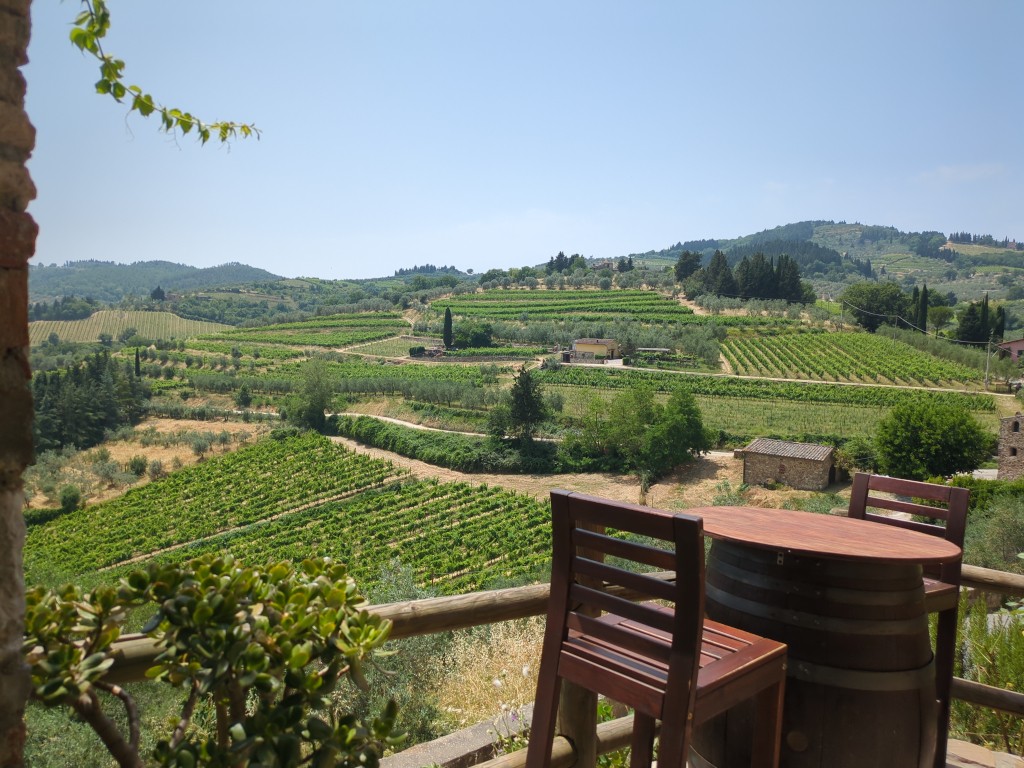 |
Adding HTML within tables
You can also use embedded HTML in table elements:
#|
?| Embedding HTML within tables |?
|| Here's some superscript: a^^2+1^^ ||
|| And here's some subscript too: avv2kvv ||
|| I love acronyms: (?WYTIWYG What You Think Is What You Get?) ||
|#
| Here's some superscript: a2+1 |
| And here's some subscript too: avv2kvv |
| I love acronyms: WYTIWYG |
Adding a touch of style
The table markup introduces a new style selector. CSS style options can be added to any element by enclosing them within single braces, right before the element content, e.g.:||{''style options''}Element content||For example, to render a cell with red background and white text color, you can do the following:
#|
||{background-color:red; color:white} Hello ||
|#
| {background-color:red; color:white} Hello |
You can play with font size and text alignment:
#|
?| Adding some more style |?
||{font-size:190%; text-align:right} Please scale me! ||
||{font-size:170%; text-align:right} Please scale me! ||
||{font-size:150%; text-align:right} Please scale me! ||
||{font-size:130%; text-align:right} Please scale me! ||
||{font-size:110%; text-align:right} Please scale me! ||
||{font-size:90%; text-align:right} Please scale me! ||
||{font-size:70%; text-align:right} Please scale me! ||
|#
| {font-size:190%; text-align:right} Please scale me! |
| {font-size:170%; text-align:right} Please scale me! |
| {font-size:150%; text-align:right} Please scale me! |
| {font-size:130%; text-align:right} Please scale me! |
| {font-size:110%; text-align:right} Please scale me! |
| {font-size:90%; text-align:right} Please scale me! |
| {font-size:70%; text-align:right} Please scale me! |
You can also apply style to headings and captions:
#|
?|{border:1px dotted red; color:red}Style can be applied anywhere|?
*|{color:#000; font-size:150%; font-style:italic; font-family:Georgia, Hoefler Text, Georgia, serif; font-weight:normal; line-height:150%}Emphemeral Quibus|*
||Lorem ipsum dolor sit amet, consectetuer adipiscing elit. Duis auctor auctor pede.||
|#
| {color:#000; font-size:150%; font-style:italic; font-family:Georgia, Hoefler Text, Georgia, serif; font-weight:normal; line-height:150%}Emphemeral Quibus |
|---|
| Lorem ipsum dolor sit amet, consectetuer adipiscing elit. Duis auctor auctor pede. |
Please note that style parameters should always follow attribute parameters, when both are specified for an element (see the table markup reference):
#|
?|Give priority|?
||(x=2;y=2){background-color:pink}2x2|(x=2){background-color:lightblue}2x1|(y=2){background-color:lightyellow}1x2||
||(y=2){background-color:lightyellow}1x2|{background-color:#333;color:white}1x1||
||{background-color:lightblue}1x1|{background-color:#333;color:white}1x1|(x=2){background-color:pink}2x1||
|#
| {background-color:pink}2x2 | {background-color:lightblue}2x1 | {background-color:lightyellow}1x2 |
| {background-color:lightyellow}1x2 | {background-color:#333;color:white}1x1 | |
| {background-color:lightblue}1x1 | {background-color:#333;color:white}1x1 | {background-color:pink}2x1 |
Adding style through classes
You can apply existing classes from your stylesheet to any element using the class parameter
(c:''class''). Note that custom style declarations specified through braced markup override class attributes.The following example applies to table cells two class selectors defined in the stylesheet. The third row shows how to override a class selector with custom style attributes:
#|
?|Using class selectors to add style to table elements||
||(c:highlight)This cell uses the ##.highlight## class||
||(c:smaller)This cell uses the ##.smaller## class||
||(c:smaller){font-size:150%}This cell uses the ##.smaller## class overridden by custom style settings||
|#
(c:highlight)This cell uses the .highlight class |
(c:smaller)This cell uses the .smaller class |
(c:smaller){font-size:150%}This cell uses a .smaller class overridden by custom style settings |
Global table attributes
Table-level attributes can be specified by adding at the beginning of the table the following element:
!| |!, which is used as a container for global table attributes. For example, you can specify global style options for a table by adding them to this element:
#|
!|{border:3px solid blue; background-color: black; color: white; width: 300px; text-align: center}|!
||Cell 1||
||Cell 2||
||Cell 3||
|#
| Cell 1 |
| Cell 2 |
| Cell 3 |
Referring to elements: the id attribute
id attributes are used to refer to unique elements in a page and to provide an anchor for styling and linking. You can specify an id for any table element by using the (i:''id'')(i=''id'') parameter.
For example, the following markup creates a table with the
id "main_table" containing two cells with id's "cell_1" and "cell_2"#| <!--markup:1:begin-->!|(i:main_table)|!<!--markup:1:end--> <!--markup:2:begin-->!|(i=main_table)|!<!--markup:2:end--> ?|Using id to refer to table elements|? <!--markup:1:begin-->||(i:cell_1)This<!--markup:1:end--> <!--markup:2:begin-->||(i=cell_1)This<!--markup:2:end--> cell can be referred to by using the ##cell_1## id|| <!--markup:1:begin-->||(i:cell_2)This<!--markup:1:end--> <!--markup:2:begin-->||(i=cell_2)This<!--markup:2:end--> cell can be referred to by using the ##cell_2## id|| |#
Adding a summary
Tables can take an optional
summary attribute to describe the purpose and/or structure of the table. The description provided by the summary attribute is particularly helpful to users of non-visual browsers. You can specify a summary by adding a (u:''Summary'') parameter in the table global attributes.For example, the following line:
!|(u:This is a summary)|!will add to the table a
summary attribute with the value This is a summary.<!Rows in a table can be grouped in a table head, table body and table foot. This division enables browsers to support scrolling of table bodies independently of the table head and foot. When long tables are printed, the table head and foot information may be repeated on each page that contains table data. The table head and table foot should contain information about the table's columns. The table body should contain rows of table data.
Wikka allows you to create groups of rows with special markers:
- The
|[|marker groups the rows it precedes as a table head block; - The
|]|marker groups the rows it precedes as a table foot block; - The
|#|marker groups the rows it precedes as a table body;
The following example shows how to use these elements to create row groups. Note that Wikka uses different backgrounds to differentiate column headings in the table head and foot from row headings in the table body:
#|
<!--markup:1:begin-->!|(u:A table with summary, caption, head, foot and body){width:<!--markup:1:end-->
<!--markup:2:begin-->!|{width:<!--markup:2:end--> 400px}|!
?|Here's how you can group rows|?
|[|
*|Name|Place|Telephone|*
|]|
*|Name|Place|Telephone|*
|#|
^|John Smith|New York|555-1234||
^|Jane Smith|Los Angeles|555-2345||
^|John Doe|Unknown|Unknown||
^|Jane Doe|Unknown|Unknown||
|#
| Name | Place | Telephone |
|---|---|---|
| Name | Place | Telephone |
^|Jane Smith|Los Angeles|555-2345||
^|John Doe|Unknown|Unknown||
^|Jane Doe|Unknown|Unknown||
|#
Heading scope
To be semantically correct and accessible to users with non-visual browsers, headings should contain scope attributes describing the cell range they refer to.
- Column heading scopes can be specified using the
(o:col)(o=col)parameter in the corresponding column heading; - Row heading scopes can be specified using the
(o:row)(o=row)parameter in the corresponding row heading;
The following example shows how to correctly add column and row scopes to a table to make it accessible:
#|
!|(u:The number of employees and the foundation year of some imaginary companies.)|!
?|Table 1: Company data||
|[|
*| <!--markup:1:begin-->|(o:col)Employees|(o:col)Founded|<!--markup:1:end--> <!--markup:2:begin-->|(o=col)Employees|(o=col)Founded|<!--markup:2:end-->*
|#|
<!--markup:1:begin-->^|(o:row)ACME<!--markup:1:end-->
<!--markup:2:begin-->^|(o=row)ACME<!--markup:2:end--> Inc|1000|1947||
<!--markup:1:begin-->^|(o:row)XYZ<!--markup:1:end-->
<!--markup:2:begin-->^|(o=row)XYZ<!--markup:2:end--> Corp|2000|1973||
|#